
Reverse proxy a site
Like Nginx, Fast-Https can reverse proxy server-side applications (PHP, Python, Java APIs or services) and works well as the front-end web server for a web application.
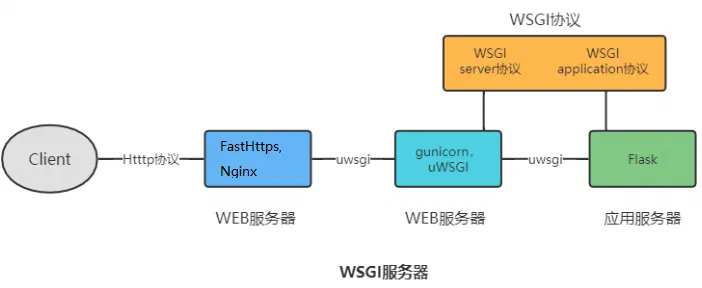
Configure a reverse proxy on Windows
1 Start the upstream service
Start the application you want to proxy. Suppose you are deploying a Python Flask service — first make sure it runs correctly on this machine.
2 Edit the configuration file
Open fast-https.json in the config folder and configure the site:
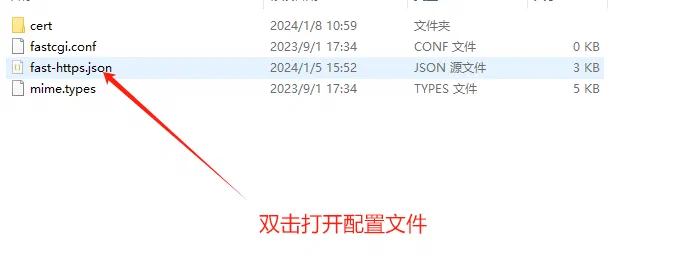
2.1 Minimal reverse proxy configuration
{
  "log_root": "./logs",
  "pid": "./fast-https.pid",
  "http": {
    "include": "mime.types",
    "server": [
      {
        "listen": 80,
        "server_name": "api.abc.com",
        "location": [
          {
            "url": "/",
            "type": "proxy",
            "proxy_pass": "http://127.0.0.1:5000",
            "proxy_set_header": [
              {
                "HeaderKey": "Host",
                "HeaderValue": "$host"
              },
              {
                "HeaderKey": "Connection",
                "HeaderValue": "close"
              }
            ]
          }
        ]
      }
    ]
  }
}
| Option | Description |
|---|---|
listen | Port the server listens on |
server_name | Domain configured for this site |
url | Request path that must be matched, or a regular expression; usually just / |
type | proxy enables reverse proxying |
proxy_pass | Upstream address and port to proxy to — a Python API, a PHP endpoint or a Java service; here a local Flask service |
proxy_set_header | Replaces request headers while proxying; HeaderKey is the name, HeaderValue the value |
2.2 About proxy_set_header
Values starting with $ are built-in variables replaced with real values; anything else is used literally. If the header did not exist, it is added.
$host— replaced with theserver_nameof the site in the configuration;$proxy_host— replaced with the host name given inproxy_pass.
A common header configuration:
"proxy_set_header" : [
              {
                "HeaderKey": "Host",
                "HeaderValue": "$proxy_host"
              },
              {
                "HeaderKey": "Connection",
                "HeaderValue": "close"
              }
]
Which one to use depends on how the upstream validates the Host header.
3 WebSocket upstreams
- If the upstream server exposes WebSocket endpoints, no extra option is needed in
proxy_pass; - After configuring,
ws://api.quwancode.com/XXXXreaches the matching WebSocket endpoint on the upstream server.
To speed up a reverse proxied site, add
proxy_cache to the location — see "Cache a reverse proxy site".